
Download Starving Robots – AI Art Upscaling & Print Tool
Overview
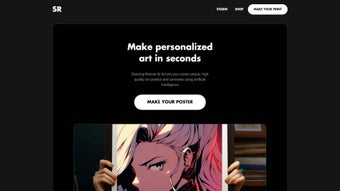
Starving Robots is a cutting‑edge web application built especially for artists, designers, and AI enthusiasts who want to turn their digital creations into high‑definition, tangible prints. Whether you generate abstract patterns with DALL‑E, vivid portraits with Midjourney, or experimental textures with Stable Diffusion, Starving Robots offers a streamlined workflow that upscales, enhances, and prepares your artwork for premium printing on posters, canvases, stickers, metal sheets, and more. The platform combines powerful AI‑driven upscaling algorithms with an intuitive user interface, allowing creators to focus on their artistic vision while the software handles the technical heavy lifting.
Beyond the printing pipeline, Starving Robots nurtures a vibrant community: users can subscribe to a newsletter for the latest AI‑art trends, follow the brand on Instagram for inspiration, and engage with fellow creators in a privacy‑first environment. The service respects user data – cookies are employed solely for session management and experience optimization, and no personal information is collected, stored, or sold. Security is reinforced through HTTPS‑only communication, automatic file deletion after 24 hours, and optional two‑factor authentication for premium accounts.
In short, Starving Robots stands out as a secure, user‑friendly, and feature‑rich solution for anyone looking to showcase AI‑generated art in physical form without compromising on quality or privacy. Its cloud‑native architecture ensures that you can start a project on a desktop, continue on a tablet, and finalize on a mobile phone, all without installing a single line of code. Whether you are a hobbyist looking for a quick poster or a professional illustrator preparing a client‑ready portfolio, Starving Robots provides the flexibility, speed, and reliability that modern creators demand.
Key Features & Benefits
- AI‑Powered Upscaling: Advanced neural networks increase resolution up to 8× while preserving fine details and color fidelity.
- Multiple Print Mediums: Choose from posters, gallery‑grade canvases, matte or glossy stickers, metal prints, and custom‑size formats.
- One‑Click Export: After enhancement, download ready‑to‑print files in PNG, JPEG, or PDF formats with embedded color profiles.
- Secure Cloud Processing: All image processing occurs over HTTPS, and files are deleted from the server within 24 hours.
- Community Hub: Integrated Instagram feed and newsletter keep you updated on the latest AI art techniques and community showcases.
- Customizable Print Settings: Adjust DPI, bleed, matte/gloss finish, and canvas stretch options directly in the web UI.
- Batch Processing: Upload up to 20 images at once, apply the same upscale settings, and receive a zip file of all final prints.
- Privacy‑First Design: No personal data collection; cookies are strictly for session persistence and performance analytics.
Why These Features Matter
The AI‑powered upscaling engine distinguishes Starving Robots from generic image editors by delivering results that retain the creative nuances of algorithmic art. Many AI‑generated pieces suffer from pixelation when printed at large sizes; the proprietary upscaling model mitigates this issue, ensuring that fine gradients, intricate line work, and subtle textures remain crisp on any medium. The variety of print mediums means artists can experiment with different display formats without needing multiple services, saving both time and money.
One‑click export eliminates the technical barrier of managing color profiles or print bleed settings, which can be daunting for creators unfamiliar with pre‑press terminology. Secure cloud processing and a strict privacy policy address growing concerns around data security in creative tools, especially important for artists who may embed personal or copyrighted elements in their work. The community hub fosters inspiration and networking, turning a solitary printing task into a collaborative experience that fuels artistic growth.
Moreover, batch processing empowers studios and agencies to handle large catalogues efficiently, while customizable print settings give fine‑grained control over final output, matching professional print shop requirements without the need for third‑party software. Together, these features create an ecosystem where creativity flows unhindered from screen to wall.
Installation, Usage & Compatibility
Starving Robots is a pure web application, which means there is no need for a traditional installation process on your computer. You simply navigate to the official website, create a free account, and begin uploading your AI‑generated artwork. The platform is built on responsive web technologies, making it fully functional on all major operating systems and browsers. Because everything runs in the cloud, you benefit from automatic updates, security patches, and performance improvements without ever having to download a new version.
Step‑by‑Step Guide
- Create an Account: Click “Sign Up” on the homepage, enter your email (optional for guest mode) and set a password. You can also log in via Google or Apple for quicker access.
- Upload Your Artwork: Drag‑and‑drop your AI image or use the “Browse” button. Supported file types include PNG, JPEG, TIFF, and SVG up to 100 MB per file.
- Select Upscale Settings: Choose the desired scaling factor (2×, 4×, 8×), adjust sharpening, and preview the result in real time.
- Pick a Print Medium: From the “Print Options” panel, select poster, canvas, sticker, metal print, or custom size. Set DPI, bleed, and finish (matte or gloss).
- Generate & Download: Click “Generate Print File.” The system processes your request in the cloud and provides a download link within seconds for small files or a few minutes for batch jobs.
- Order Prints (Optional): If you prefer professional printing, you can forward the file to a partnered print service directly from the platform, or download and use any local print shop.
- Save & Share: Use the built‑in share button to publish a secure link to collaborators or embed the final artwork in a portfolio site.
System Compatibility
Because Starving Robots runs entirely in the browser, it is compatible with Windows 10/11, macOS Ventura and later, Linux distributions with a modern browser, as well as mobile operating systems such as Android 12+ and iOS 14+. The recommended browsers are Google Chrome, Mozilla Firefox, Microsoft Edge, and Safari—all of which support the WebGL and WebAssembly technologies that power the AI upscaling engine. For the best experience, ensure your browser is up to date and that JavaScript is enabled. Tablet users benefit from touch‑optimized controls, while desktop users enjoy keyboard shortcuts for rapid workflow.
Performance Tips
While the service is optimized for speed, processing large batches or very high‑resolution images may take longer on slower internet connections. We recommend using a stable broadband connection (minimum 10 Mbps) and clearing browser cache regularly to maintain optimal performance. If you encounter any hiccups, the built‑in chat support is available 24/7, and a comprehensive knowledge base covers common troubleshooting scenarios such as “file not uploading” or “color profile mismatches.” Power users can enable “High‑Performance Mode” in the settings, which allocates additional client‑side memory for smoother real‑time previews. Finally, consider using the “Dark Theme” during prolonged sessions to reduce eye strain.
Pros, Cons & Frequently Asked Questions
Pros
- High‑quality AI upscaling preserves artistic detail.
- No software download; works directly in the browser.
- Multiple print formats and customizable settings.
- Strong privacy stance – no personal data sold.
- Community features keep you inspired and connected.
- Batch processing saves time for studios and agencies.
- Secure HTTPS‑only cloud processing with automatic file deletion.
Cons
- Premium print‑service integration is limited to partnered vendors.
- Large batch processing can be slower on low‑bandwidth connections.
- Advanced color‑management tools (e.g., ICC profile editing) are not included.
- Free tier imposes a limit of 5 images per session.
- Desktop‑only features such as drag‑and‑drop may behave differently on some mobile browsers.
FAQ – Frequently Asked Questions
Is Starving Robots free to use?
Yes, the core upscaling and download features are completely free. Premium options, such as high‑volume batch processing and direct print ordering through partner services, may require a subscription or one‑time fee.
What file formats are supported for upload?
Starving Robots accepts PNG, JPEG, TIFF, and SVG files up to 100 MB each. Larger files can be compressed before uploading without significant loss of quality.
How does the platform protect my privacy?
The service uses only essential cookies for session handling. No personal data, including uploaded artwork, is stored long‑term; files are automatically deleted from the server within 24 hours after processing.
Can I order printed versions directly from Starving Robots?
Yes, after generating your high‑resolution file you can send it to one of Starving Robots’ partnered print providers through a simple “Order Print” button. Alternatively, you can download the file and use any local or online print shop.
Is there a limit to how many images I can upscale at once?
Free users can process up to 5 images per session. Paid tiers raise this limit to 20 or more, with priority queuing for faster results.
Do I need a powerful computer to use Starving Robots?
No. Because all heavy lifting is performed on Starving Robots’ cloud servers, even modest laptops or tablets can run the tool smoothly. The only requirement is a modern browser with WebGL support.
Conclusion & Call to Action
Starving Robots fills a niche that many AI‑art platforms overlook: the seamless transition from digital creation to high‑quality physical display. By combining state‑of‑the‑art AI upscaling, a straightforward browser‑based workflow, and a privacy‑first philosophy, it empowers artists to showcase their work without the technical headaches traditionally associated with print preparation. Whether you’re a hobbyist experimenting with AI brushes or a professional illustrator seeking premium canvases for client presentations, the tool offers enough flexibility to meet diverse needs. The free tier is generous enough for occasional use, while the paid plans unlock batch processing, direct print ordering, and priority cloud resources, making it a scalable solution as your artistic practice grows. Its community‑driven approach also means you’ll never feel isolated; you can share tips, discover new print ideas, and stay updated on AI‑art trends directly from the platform.
Ready to transform your AI masterpieces into gallery‑ready prints? Download Starving Robots now, create your first upscaled artwork, and join a thriving community of creators who are redefining the boundaries of digital art. Your next masterpiece deserves to be seen not just on a screen, but on walls, frames, and surfaces around the world. Click the link, start upscaling, and let your imagination print itself into reality.
Overall Rating: 4.6/5
Pros: AI quality, ease of use, privacy, community, batch processing.
Cons: Limited native print partners, batch speed on slow connections, free‑tier image limit.



.png)



